
The image
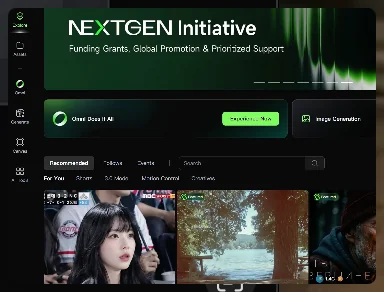
The documents are Kling AI's own API reference page, "Image to Video," and its feature page, "Image to Video AI," both published at kling.ai's developer documentation and kling.ai's product site respectively, read as current on 16 September 2026. The API page shows a parameter table rather than a picture; the feature page shows marketing stills of an uploaded photograph beside frames from a generated clip, examples of the product rather than an independent production.
What the documents show
The API documentation names a required "first_frame" input for image-to-video generation, accepting ".jpg, .jpeg, .png" files no larger than 50MB, stating "width and height of the image must be no less than 300px" and that the aspect ratio "should fall within the range of 1:2.5 to 2.5:1." It documents an optional "last_frame" input for a first-and-last-frame sequence, noting that "last-frame-only video generation is not supported," and an "element" input with an "element_id" allowing "a maximum of 3 elements per task" for keeping a character or object consistent. Output settings are documented as 720p, 1080p or 4k resolution and 3 to 15 seconds duration. The feature page, in looser marketing language, describes the same first input as "the foundational visual reference for the generated video" and separately names an "Element Lock" capability intended, in the company's words, to "completely eliminate the 'AI morphing' effect" — a claim of intended function this entry reports as Kling's own, not as a verified outcome.
Production context
Read editorially, documented pixel-dimension and aspect-ratio limits on the first frame are the kind of hard constraint a production would need to plan a source photograph around before submission, distinct from the softer, prompt-driven motion description both pages describe for how the frame then animates. The bounded "maximum of 3 elements per task" is a specific, checkable ceiling on how many reference identities one generation can track, per the API page's own table.
Reference versus imitation
Both documents describe conditioning on an uploaded frame the user supplies, within stated size and ratio limits, not on an external artist's footage or on a named third party's likeness; the "Element Lock" description is the company's own account of an anti-drift feature, not an independent test of whether output matches a source identity. A claim that a specific Kling feature exists should be checked against the exact documentation page and its retrieval date, since API platforms of this kind revise named parameters between releases.
- Does the citation point to Kling's API reference or its marketing feature page, and which parameters does each actually name?
- Does the source image meet the documented size and aspect-ratio constraints before submission?
- Is "Element Lock" or a similar named control still present in the documentation at the time it is cited?
A documented pixel and duration ceiling is a fact that can be checked years later against an archived page; a marketing claim of eliminating an "AI morphing" effect is the company's own framing and should be reported as such, not as an independently confirmed result.
Sources & reading trail
Documents the first_frame, last_frame and element parameters, file-size and aspect-ratio limits, and output resolution and duration options.
Source published: Not established · Retrieved: 16 September 2026
Describes the uploaded image as the foundational reference and names the Element Lock feature intended to preserve character consistency.
Source published: Not established · Retrieved: 16 September 2026
Records, documentation and rulings establish the entry; the reference-versus-imitation reading is Screen Visual Lab editorial analysis. This retrospective draft does not imply the site published on the event date.