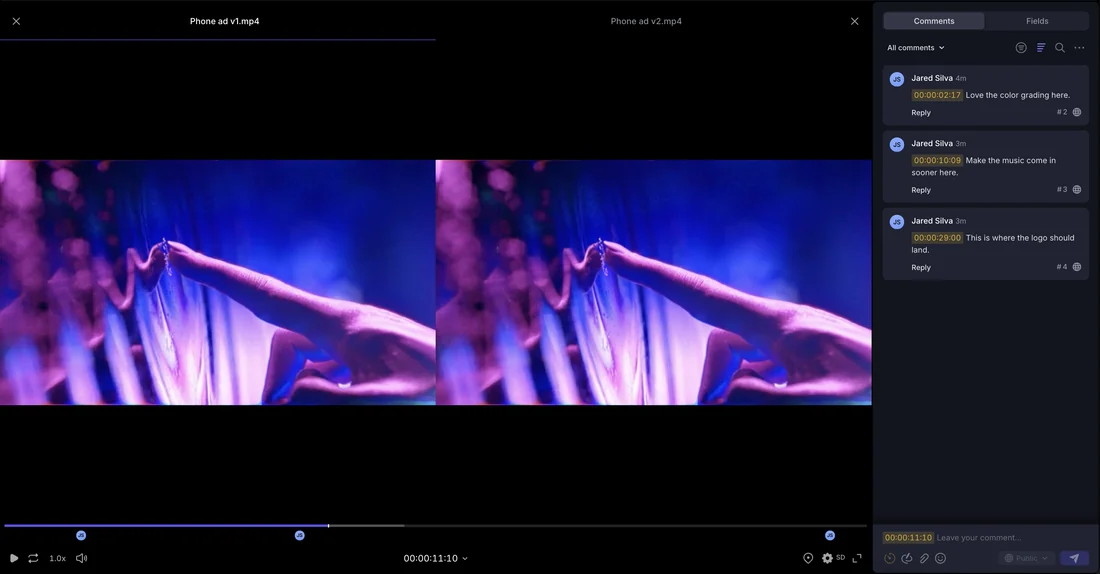

The image
The reference object is a screen, not a film frame: Frame.io's Comparison Viewer, as its own knowledge center article describes it, places two assets side by side so a team can see differences between edits or reference frames in one window. The current V4 version supports video, image, audio, PDF and Office file types, and adds Unlink, Overlay and Pixel Difference views for static assets, alongside linked zoom and playback controls.
What the documents show
Frame.io's documentation is a living record of the product as retrieved on 16 September 2026, updated as features change. The Comparison Viewer article states a user selects two assets, opens the three-dot menu, and chooses Compare Assets, or compares versions from a version-stacked asset's player page. A separate article on versioning explains the dependency: dragging a new upload onto an existing asset creates a Version Stack, holding revisions under one thumbnail rather than as separate files, reorderable from the project page. The two articles describe complementary parts of one review workflow.
Production context
Editorially, this solves a coordination problem for art departments and cinematography teams working from reference: when a shot, grade or effects pass goes through iterations, someone must see exactly what changed between versions without rebuilding a comparison by hand. The documentation's own framing, that the viewer makes it 'easier to see the differences between edits' with linked playback, supports treating it as a tool for verifying a specific visual claim, such as whether a grade matched a reference still, rather than a general editor. Frame.io's own materials describe it consistently as a review and collaboration tool, not an editing application.
Reference versus imitation
Because the viewer works only on assets a team has already uploaded, it does not resolve whether a reference asset was properly licensed before being placed there; that responsibility sits with the uploader. What the tool does provide is a documented trail of what was compared to what and when, useful evidence that a match to a reference frame was measured with an overlay or pixel-difference check rather than eyeballed. That documentation is a modest but real distinction between careful, comparison-based work and unrecorded claims of similarity.
- Was a claimed visual match verified with an overlay or pixel-difference comparison, or only asserted?
- Does the review record show which version a decision was made against?
- Is the reference material being compared properly licensed for the team's own upload?
Frame.io's knowledge center describes the Comparison Viewer and version stacking as tools for making iterative visual differences reviewable inside a shared project, current as retrieved on 16 September 2026. They document a comparison process, not the rights status of what is compared.
Sources & reading trail
Describes the side-by-side Comparison Viewer, its Unlink, Overlay and Pixel Difference views, and supported file types.
Source published: Not established · Retrieved: 16 September 2026
Describes how Version Stacks are created and reordered, and links to the Comparison Viewer for comparing versions.
Source published: Not established · Retrieved: 16 September 2026
Records, documentation and rulings establish the entry; the reference-versus-imitation reading is Screen Visual Lab editorial analysis. This retrospective draft does not imply the site published on the event date.